
#1101 - 7 Ways to Increase Internet Speed in Windows
Problems viewing? Read online: https://newsletter.askleo.com/current-newsletter/
Newsletter FAQ & administration Answers to all your subscription and newsletter questions.
All the ways to Support Ask Leo!
This Week on Ask Leo!

7 Ways to Increase Internet Speed in Windows
We all feel the need for speed.
Internet speed: we all want it. Here's how to improve yours.


Why I Rarely Panic
Perhaps it's why I still have my hair.
So much of we hear about just isn't panic-worthy, even if news reports make it seem like it is.
Read: Why I Rarely Panic

Backing Up a New Computer
Chicken, meet egg. Or maybe say hello to Heisenberg.
Backing up your new computer on arrival can be an important safety net. But there are degrees of what's good enough.

Will Google Delete Inactive Accounts?
The answer is YES.
Google deletes accounts that are inactive for two years -- including Gmail, Drive, Photos, and even YouTube content. I'll explain what "inactive" means, how to keep your accounts safe, and why this change could erase important cultural history.
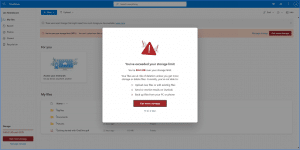
What to Do When Your Outlook.com Storage Is Full
Microsoft changed how they allocate storage.
Microsoft changed the free storage allocation for Outlook.com and OneDrive.
Ask Leo! Tip of the Day
For Bronze patrons of Ask Leo!
- Tip of the Day: You Don't Always Need an Account
- Tip of the Day: Don't Reply to "Don't Reply" Emails
- Tip of the Day: Sign In Occasionally
- Tip of the Day: Always Display Scrollbars
- Tip of the Day: Don't Get Attached to Your Password
- Tip of the Day: Drag and Drop to Your Browser's Bookmarks Bar


TEH Podcast
Find the latest episode here.
Ask Leo! on YouTube
Subscribe to Ask Leo! on YouTube.
Backups Are GREAT Security

Don't overlook backing up as part of your computer security. When the worst happens, it's your backup that will save you.
Watch: Backups Are GREAT Security
What to Do When Your Outlook.com Storage Is Full

Microsoft changed the free storage allocation for Outlook.com and OneDrive.
Google is Deleting Inactive Accounts

Google deletes accounts that are inactive for two years -- including Gmail, Drive, Photos, and even YouTube content. I?ll explain what ?inactive? means, how to keep your accounts safe, and why this change could erase important cultural history.
Backing Up a New Computer

Backing up your new computer on arrival can be an important safety net. But there are degrees of what's good enough.
Watch: Backing Up a New Computer
7 Ways to Increase Internet Speed in Windows

Internet speed: we all want it. Here's how to improve yours.
Why I Rarely Panic

I have a fairly laid-back style, but I feel it's with good reason. So much of we hear about just isn't panic-worthy, even if news reports make it seem like it is.
Watch: Why I Rarely Panic
