
#1148 - 2 Steps to Keep Using Windows 10 Safely
Problems viewing? Read online: https://newsletter.askleo.com/current-newsletter/
Newsletter FAQ & administration Answers to all your subscription and newsletter questions.
All the ways to Support Ask Leo!
Well. It's been a couple of weeks, let me tell you.
Behind the scenes, Mrs. Ask Leo! had a knee replacement two weeks ago. Turns out it was significantly more impactful than we had anticipated, and as a result I've been running behind even more than normal! Thanks, as always, to my staff who keep the ship afloat even when the captain's attention is diverted elsewhere  .
As always, I hope things are going well for you.


This Week on Ask Leo!
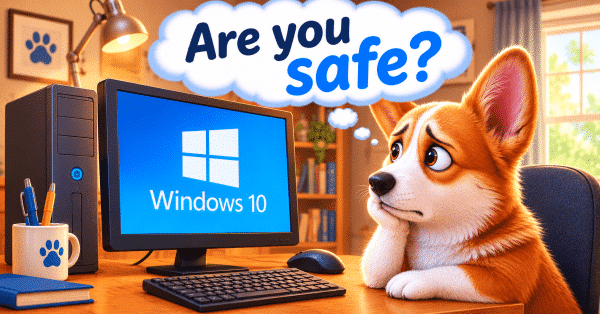
2 Steps to Keep Using Windows 10 Safely
Yes, it can be done.
Worried about Windows 10 after support ends? Don't be. I'll show you the good habits and reliable security software that will allow you keep using your Windows 10 computer safely.


Are HTTPS Connections Really Safe?
What does "safe" really mean?
You've been told to look for HTTPS before trusting a website. But what does that "S" really promise? Less than you might think. I'll review what HTTPS actually does for you, what it can't do, and why scammers are happy to use it too.

How Does a VPN Protect Me?
Hiding from prying eyes.
A VPN can keep your online activity private, especially on open Wi-Fi, but it's not magic. I'll show you what a VPN hides and what it doesn't.

Get Ready to Lose Your Phone
Maybe it'll never happen. Prepare as if it will.
Your phone holds the keys to your digital life. If it's lost or stolen, things can get messy fast. I'll show you simple steps that protect your data and give you peace of mind before the worst happens.
Ask Leo! Tip of the Day
For Bronze patrons of Ask Leo!
- Tip of the Day: The Power of Right-Clicking
- Tip of the Day: Two Keystrokes I Use Constantly
- Tip of the Day: Be Both General and Specific When You Search
- Tip of the Day: Sign in with a PIN (or not)
- Tip of the Day: Shutdown or Reboot from the Command Line


TEH Podcast
Find the latest episode here.
Ask Leo! on YouTube
Subscribe to Ask Leo! on YouTube.
Suddenly Your Phone is Gone!

Phones are small and easy to misplace. Make sure you are ready to lose yours.
Watch: Suddenly Your Phone is Gone!
Get Ready to Lose Your Phone

Your phone holds the keys to your digital life. If it's lost or stolen, things can get messy fast. I'll show you simple steps like locking, tracking, and backing up that protect your data and give you peace of mind before the worst happens.
Watch: Get Ready to Lose Your Phone
How Does a VPN Protect Me?

I'll show you what a VPN hides and what it doesn't, so you can decide if it belongs in your security toolkit.
Watch: How Does a VPN Protect Me?
2 Steps to Keep Using Windows 10 Safely

Worried about Windows 10 after support ends? Don't be. I'll show you the simple steps -- good habits and reliable security software -- that will allow you to keep using your Windows 10 computer safely.
Is HTTPS safe?

Can I trust a site if it has https? No... the protocol does only two things.
Watch: Is HTTPS safe?
Are HTTPS Connections Really Safe?
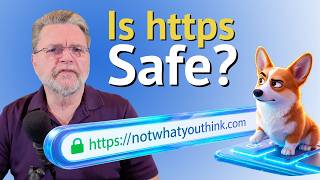
You've been told to look for HTTPS before trusting a website. But what does that "S" really promise? Less than you might think. I'll review what HTTPS actually does for you, what it can't do, and why scammers are happy to use it too.
