
#1143 - How to Select Text Faster: Six Tricks You May Not Know
Problems viewing? Read online: https://newsletter.askleo.com/current-newsletter/
Newsletter FAQ & administration Answers to all your subscription and newsletter questions.
All the ways to Support Ask Leo!
This Week on Ask Leo!
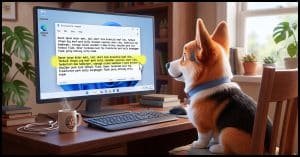
How to Select Text Faster: Six Tricks You May Not Know
Some convenient text-selection techniques you might be missing.
Dragging a mouse across text works, but it's slow and awkward. I'll show you how to double-click, triple-click, or click in the margin to select words, paragraphs, and lines. Learn several easy selection tricks plus one small catch that can break a password.
Read: How to Select Text Faster: Six Tricks You May Not Know


What's the Best Registry Cleaner? What to Use and What to Avoid
First, do no harm.
Registry cleaners can be dangerous. I'll review when they might be appropriate, which I'd use, and how to use them safely.
Read: What's the Best Registry Cleaner? What to Use and What to Avoid

Don't Finish Authorizations You Didn't Start, and Be Cautious With Those You Did
If you didn't start it, someone else did.
There are scams that don't need your password or even your two-factor code to get into your account. They use real sign-in pages and a fake app with a harmless name to sneak in. I'll describe how it works and remind you of one simple habit that keeps you safe.
Read: Don't Finish Authorizations You Didn't Start, and Be Cautious With Those You Did
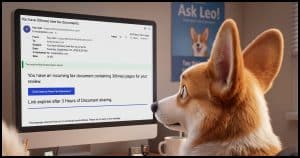
No, You Don't Have a Fax. An Analysis of a Spam Email
Examples of clues to look for.
A fake fax notice landed in my inbox and turned out to be a perfect teaching tool. I'll walk you through the clues that gave it away, from the sender's address to the hidden headers, and show you how AI is about to make spotting spam much harder.
Ask Leo! Tip of the Day
For Bronze patrons of Ask Leo!
- Tip of the Day: "Save As" Often
- Tip of the Day: Leave the "To:" Blank
- Tip of the Day: Add to the Start Menu in Windows 10
- Tip of the Day: Check the From: in Bounces
- Tip of the Day: Run Anyway (Carefully)


TEH Podcast
Find the latest episode here.
Ask Leo! on YouTube
Subscribe to Ask Leo! on YouTube.
No, You Don't Have a Fax. An Analysis of a Spam Email

A fake fax notice landed in my inbox and turned out to be a perfect teaching tool. I'll walk you through the clues that gave it away, from the sender's address to the hidden headers, and show you how AI is about to make spotting spam much harder.
Watch: No, You Don't Have a Fax. An Analysis of a Spam Email
Don't Finish Authorizations You Didn't Start, and Be Cautious With Those You Did

There are scams that don't need your password or even your two-factor code to get into your account. They use real sign-in pages and a fake app with a harmless name to sneak in. I'll describe how it works and remind you of one simple habit that keeps you safe.
Watch: Don't Finish Authorizations You Didn't Start, and Be Cautious With Those You Did
How to Select Text Faster: Six Tricks You May Not Know

Dragging a mouse across text works, but it's slow and awkward. I'll show you how to double-click, triple-click, or click in the margin to select words, paragraphs, and lines. Learn several easy selection tricks plus one small catch that can break a password.
Watch: How to Select Text Faster: Six Tricks You May Not Know
What's the Best Registry Cleaner? What to Use and What to Avoid

Registry cleaners can be dangerous. There may be cases where you want to use one, though, and I'll review which I'd use and how to use them safely.
Watch: What's the Best Registry Cleaner? What to Use and What to Avoid
