
#1119 - How I Use AI at Ask Leo!
Problems viewing? Read online: https://newsletter.askleo.com/current-newsletter/
Newsletter FAQ & administration Answers to all your subscription and newsletter questions.
All the ways to Support Ask Leo!
On most Fridays I make it a habit to head out to a local brewpub (this one or this one) and hang out with friends over a couple of beers. Yes, technology is great and all that, but there's truly no substitute for that in-person experience. Not even AI will replace that. After the last few years of, well, everything, that I find myself saying "I need to be around people for a while" always surprises me, particularly since I identify as a hard core introvert.
Sometimes I even get to take Maxine with me. No beer for her, of course, but there are always treats and pets.
I hope you have a good week,


This Week on Ask Leo!

How I Use AI at Ask Leo!
It's my fast (but unreliable) intern.
Wonder whether an AI has written the articles you read online -- like this one? The answer at Ask Leo! is no, but AI does play a role. Here's a behind-the-scenes look at how AI helps me, where it falls short, and what a real human -- me -- still does.
Read: How I Use AI at Ask Leo!

How Two-Factor Authentication Works and Why You Need It Right Now
It keeps hackers out.
Your password alone might not be enough to keep hackers out. Two-factor authentication adds a second layer of protection that stops intruders even when they know your password. I'll explain how it works, why you need it, and how to set it up without making your daily log-in a hassle.
Read: How Two-Factor Authentication Works and Why You Need It Right Now
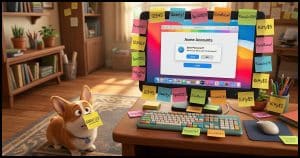
Is It Safe to Let Your Browser Remember Passwords?
The risk that's often overlooked.
Letting your browser remember passwords is convenient. With that convenience comes significant risk. Most folks are much better served by using a password vault.

My Computer Has Started to Shut Down Randomly. Could It Be the Fan?
Your computer keeps shutting down and is telling you "Over Temperature." The culprit might be hiding in plain sight: dust and pet hair. I'll show you how those innocent-looking dust bunnies can kill a computer, and what to do about it.
Read: My Computer Has Started to Shut Down Randomly. Could It Be the Fan?
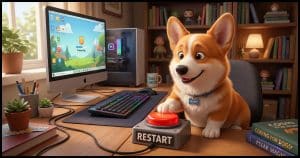
How Can I Pin "Restart" to My Taskbar?
It can be a single click away.
I'll show you how to put a one-click restart button right on your taskbar. The skills you'll pick up along the way are useful far beyond restarting.
Ask Leo! Tip of the Day
For Bronze patrons of Ask Leo!
- Tip of the Day: If You Don't Trust It, Don't Use It
- Tip of the Day: CTRL+C to Interrupt Command Prompt
- Tip of the Day: Ignore Duplicate Files
- Tip of the Day: Don't Start Up in a Hurry
- Tip of the Day: Shut Down When Traveling
- Tip of the Day: Save Your Old Phone


TEH Podcast
Find the latest episode here.
Ask Leo! on YouTube
Subscribe to Ask Leo! on YouTube.
My Computer Has Started to Shut Down Randomly. Could It Be the Fan?

Your computer keeps shutting down and is telling you "Over Temperature." The culprit might be hiding in plain sight: dust and pet hair. I'll show you how those innocent-looking dust bunnies can kill a computer, and what to do about it.
Watch: My Computer Has Started to Shut Down Randomly. Could It Be the Fan?
How Can I Pin "Restart" to My Taskbar?

I'll show you how to put a one-click restart button right on your taskbar. The skills you'll pick up along the way are useful far beyond restarting.
How Should I Wipe My Windows Hard Drive Before Giving It Away?

Giving away your old computer is a great idea, but handing over your personal data along with it is not. I'll show you the difference between a wipe that works and one that just looks like it does.
Watch: How Should I Wipe My Windows Hard Drive Before Giving It Away?
How I Use AI at Ask Leo!

Wonder whether an AI has written the articles you read online -- like this one? The answer at Ask Leo! is no, but AI does play a role. Here's a behind-the-scenes look at how AI helps me, where it falls short, and what a real human -- me -- still does.
Watch: How I Use AI at Ask Leo!
Is It Safe to Let Your Browser Remember Passwords?

Letting your browser remember passwords is convenient. With that convenience comes significant risk. Most folks are much better served by using a password vault.
