
#1146 - How to Select Text Faster with the Keyboard
Problems viewing? Read online: https://newsletter.askleo.com/current-newsletter/
Newsletter FAQ & administration Answers to all your subscription and newsletter questions.
All the ways to Support Ask Leo!
This Week on Ask Leo!

How to Select Text Faster with the Keyboard
You don't have to use a mouse all the time.
I'll show you keystrokes that let you select a letter, word, line, or whole document without your hands ever leaving the keyboard.


How Do You Delete Things from the Internet?
The internet is forever… except when it's not.
We say the internet is forever. We also say that once you delete something, it's gone. Both are true, and usually at the worst possible moment. I'll describe why deleting rarely removes every copy, why you still can't get those copies back, and two simple habits that protect you.

Why Am I Being Asked to Turn Off My Adblocker When I Don't Use One?
It's a blurry line.
I'll explain the browser setting that's most likely to blame, show you how to test it in seconds, and help you decide what to do next.
Read: Why Am I Being Asked to Turn Off My Adblocker When I Don't Use One?
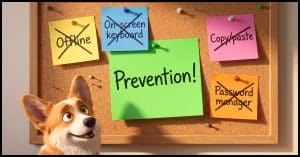
How Do I Bypass Keyloggers? The Guaranteed Way to Avoid Having Your Keystrokes Maliciously Recorded
An answer many don't want to hear.
People swear by tricks that can beat a keylogger. I'll show you why none of them are completely effective. Only one approach keeps your keystrokes safe.
Read: How Do I Bypass Keyloggers? The Guaranteed Way to Avoid Having Your Keystrokes Maliciously Recorded
Ask Leo! Tip of the Day
For Bronze patrons of Ask Leo!
- Tip of the Day: Pin a Folder to the Start Menu
- Tip of the Day: mklink: Hard and Symbolic Links in Windows
- Tip of the Day: Make Sure Your Email Account Isn't in Use Before Closing It
- Tip of the Day: Prioritize OneDrive Downloads
- Tip of the Day: Files and Folders


TEH Podcast
Find the latest episode here.
Ask Leo! on YouTube
Subscribe to Ask Leo! on YouTube.
Do you need Tracking Prevention?

Watch next ? Why Am I Being Asked to Turn Off My Adblocker When I Don't Use One? ? https://youtu.be/zKR8_QT0DjM
Fooling Keyloggers

Watch next ? How Do I Bypass Keyloggers? ? https://youtu.be/Iy54tdoZqZ0
Watch: Fooling Keyloggers
How Do I Bypass Keyloggers? The Guaranteed Way to Avoid Having Your Keystrokes Maliciously Recorded

People swear by tricks that can beat a keylogger. I'll show you why none of them are completely effective. Only one approach keeps your keystrokes safe.
Watch: How Do I Bypass Keyloggers? The Guaranteed Way to Avoid Having Your Keystrokes Maliciously Recorded
Why Am I Being Asked to Turn Off My Adblocker When I Don't Use One?

I'll explain the browser setting that's most likely to blame, show you how to test it in seconds, and help you decide what to do next.
Watch: Why Am I Being Asked to Turn Off My Adblocker When I Don't Use One?
How to Select Text Faster with the Keyboard

I'll show you a keystrokes that let you select a letter, word, line, or whole document without your hands ever leaving the keyboard.
The Internet is Forever

Watch next ? How Do You Delete Things from the Internet? ? https://youtu.be/XiH8_l88tSY
Watch: The Internet is Forever
How Do You Delete Things from the Internet?

We say the internet is forever. We also say that once you delete something, it's gone. Both are true, and usually at the worst possible moment. I'll describe why deleting rarely removes every copy, why you still can't get those copies back, and two simple habits that protect you.
