
#1122 - How to Share Two-factor Authentication to a Single Account With Multiple Users
Problems viewing? Read online: https://newsletter.askleo.com/current-newsletter/
Newsletter FAQ & administration Answers to all your subscription and newsletter questions.
All the ways to Support Ask Leo!
Bitlocker broken? Not really, but kinda.
Just wanted to mention that, yes, I've heard the news about the Bitlocker "Yellow Key" exploit. I'll be writing more about it the coming weeks. As with so many things the headlines seem to overstate the practical reality. Yes, it's bad (and embarrassing), but from what I understand for most folks it's nothing to worry about yet. For now the TL;DR: is don't lose your Bitlocker-encrypted laptop.
As I mentioned in this week's 7 Takeaways, I sometimes wonder who used the apocryphal Chinese curse "may you live in interesting times" on us. Times have been too interesting for too long. A stretch of boring might be very welcome, but when it comes to technology it seems highly unlikely.
Take care,


This Week on Ask Leo!

How to Share Two-factor Authentication to a Single Account With Multiple Users
It's possible to do securely.
Your team shares one account, but two-factor authentication keeps locking everyone out. There are real solutions to this problem, and they don't sacrifice security. I'll show you how to set up shared two-factor authentication so everyone can get in.
Read: How to Share Two-factor Authentication to a Single Account With Multiple Users

Have You Tried Turning It Off and On Again?
Why so many answers begin with a power cycle.
Tech support always says the same thing: "Have you tried rebooting?" It sounds lazy (and perhaps crazy), but there's a reason it works so often.
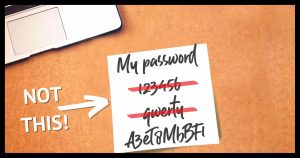
What's the Best Password Manager in 2026?
Your choices are many, and that's a good thing.
Overwhelmed by too many password manager choices? I'll walk you through the best current options, what makes them different, and how to pick the one that fits you best.

Which Cloud Backup Should I Use?
It depends on how and what you want to back up.
Cloud backup sounds good until you realize that most options only cover part of your data, and some aren't real backups at all. What works is a layered strategy that combines local image backups with cloud sync to keep your files safe no matter what happens.

How Do I Report Spam to the Originating ISP?
There may not be one.
Want to report spam to the ISP it came from? These days, spam comes from massive networks of hacked computers, not a single traceable server. I'll explain why reporting spam to what you think is the source of that spam is mostly a waste of time.
Ask Leo! Tip of the Day
For Bronze patrons of Ask Leo!
- Tip of the Day: Checking a Disk's Free Space
- Tip of the Day: Preview Fonts in Windows 10 and 11
- Tip of the Day: Be Aware of Scroll Lock in Excel
- Tip of the Day: Middle-Click to Close Browser Tabs
- Tip of the Day: Sort in the Command Line


TEH Podcast
Find the latest episode here.
Ask Leo! on YouTube
Subscribe to Ask Leo! on YouTube.
What's the Best Password Manager

Overwhelmed by too many password manager choices? I?ll walk you through the best current options, what makes them different, and how to pick the one that fits you best.
How Do I Report Spam to the Originating ISP?

Want to report spam to the ISP it came from? These days, spam comes from massive networks of hacked computers, not a single traceable server. I'll explain why reporting spam to what you think is the source of that spam is mostly a waste of time.
Which Cloud Backup Should I Use?

Cloud backup sounds good until you realize that most options only cover part of your data, and some aren't real backups at all. What works is a layered strategy that combines local image backups with cloud sync to keep your files safe no matter what happens.
How to Share Two-factor Authentication to a Single Account With Multiple Users

Your team shares one account, but two-factor authentication keeps locking everyone out. There are real solutions to this problem, and they don't sacrifice security. I'll show you how to set up shared two-factor authentication so everyone can get in.
Watch: How to Share Two-factor Authentication to a Single Account With Multiple Users
Have You Tried Turning It Off and On Again?

Tech support always says the same thing: "Have you tried rebooting?" It sounds lazy (and perhaps crazy), but there's a reason it works so often.
