
#1113 - Don't Fall for It: Social Engineering and How Scammers Hack Your Brain
Problems viewing? Read online: https://newsletter.askleo.com/current-newsletter/
Newsletter FAQ & administration Answers to all your subscription and newsletter questions.
All the ways to Support Ask Leo!
This Week on Ask Leo!

Don't Fall for It: Social Engineering and How Scammers Hack Your Brain
How to recognize, avoid, and beat the scams.
Think you're too smart to fall for a scam? Think again. Scammers aren't targeting your intelligence; they're targeting your humanity. I'll share the sneaky mind tricks they use every day and help you spot the red flags before it's too late.
Read: Don't Fall for It: Social Engineering and How Scammers Hack Your Brain


How Do I Gain Administrative Access to a Secondhand Computer?
Here be dragons. Maybe.
It's important to understand the risks of buying a used computer.
Read: How Do I Gain Administrative Access to a Secondhand Computer?
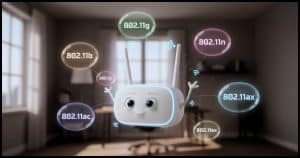
How Do I Tell Which Wi-Fi Protocols My Computer Supports?
They keep changing.
Ever wondered if your Wi-Fi card can handle the latest speeds, or why it won't connect in certain places? I'll show you exactly how to check which Wi-Fi protocols your computer supports, and what those cryptic "802.11" labels actually mean.
Read: How Do I Tell Which Wi-Fi Protocols My Computer Supports?

Can I Have Different Passwords for YouTube and Gmail?
Keeping services separate is possible, though not obvious.
A Google account includes Gmail, YouTube, and much more. If you want to keep those services separate, you'll need separate Google accounts.
How to Identify Your Machine's Network Connections
There are probably many more connections than you expect.
Your computer might be chatting with hundreds of servers right now, including sites you might not expect, without you knowing! I'll show you free tools that let you see what your machine is up to online.
Ask Leo! Tip of the Day
For Bronze patrons of Ask Leo!
- Tip of the Day: Undo Lets You Experiment
- Tip of the Day: Reboot Directly Into UEFI/BIOS Settings
- Tip of the Day: Force a Clock Update
- Tip of the Day: Watch Where You Land
- Tip of the Day: Drag and Drop to Switch Tabs


TEH Podcast
Find the latest episode here.
Ask Leo! on YouTube
Subscribe to Ask Leo! on YouTube.
How To: Identify Your Machine's Network Connections

Your computer might be chatting with hundreds of servers right now, including sites you might not expect, without you knowing! I'll show you free tools that let you see exactly what your machine is up to online.
Can I Have Different Passwords for YouTube and Gmail?

A Google account includes Gmail, YouTube, and much more. If you want to keep those services separate, you'll need separate Google accounts.
Watch: Can I Have Different Passwords for YouTube and Gmail?
How Do I Tell Which Wi-Fi Protocols My Computer Supports?

Ever wondered if your Wi-Fi card can handle the latest speeds, or why it won't connect in certain places? I'll show you exactly how to check which Wi-Fi protocols your computer supports, and what those cryptic "802.11" labels actually mean.
Watch: How Do I Tell Which Wi-Fi Protocols My Computer Supports?
Don't Fall for It: Social Engineering and How Scammers Hack Your Brain

Think you're too smart to fall for a scam? Think again. Scammers aren't targeting your intelligence; they're targeting your humanity. I'll share the sneaky mind tricks they use every day and help you spot the red flags before it's too late.
Watch: Don't Fall for It: Social Engineering and How Scammers Hack Your Brain
How Do I Gain Administrative Access to a Secondhand Computer?

It?s important to understand the risks of buying a used computer.
Watch: How Do I Gain Administrative Access to a Secondhand Computer?
