
#1112 - How Should I Format My Thumbdrive?
Problems viewing? Read online: https://newsletter.askleo.com/current-newsletter/
Newsletter FAQ & administration Answers to all your subscription and newsletter questions.
All the ways to Support Ask Leo!
This Week on Ask Leo!
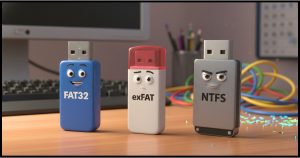
How Should I Format My Thumbdrive?
Let's look at three options.
Looking to format a USB thumb drive but confused about FAT32, exFAT, and NTFS? I'll break down each file system's strengths and limitations and help you choose the best format based on compatibility needs, file sizes, and which devices you'll use it with.

Are Deleted Emails Really Deleted?
You might think so, but…
Deleted an email and think it's gone forever? I'll explain what "delete" really means in webmail and desktop programs, why trash folders and database files can leave messages recoverable, how backups and even court orders can bring them back, and the inconvenient fact that the other person may still have a copy.

OK, Boomer: Why Computer Literacy Matters to You
Yes, you.
Technology isn't optional anymore. I'll explain why embracing computer literacy matters more than ever, and how complaining only isolates you further.

Can You Get Hacked When Your Computer Is Sleeping?
It depends. It's also extremely unlikely.
Worried your sleeping computer might get hacked? The short answer is no, but there's a catch. I'll explain what that is and why you're still probably safer than you think with basic security in place.

How Do I Sign in to Windows If My Keyboard Doesn't Work?
Here's one way.
Keyboard not working, but you need to type to sign in to Windows? There's a solution for that.
Read: How Do I Sign in to Windows If My Keyboard Doesn't Work?
Ask Leo! Tip of the Day
For Bronze patrons of Ask Leo!
- Tip of the Day: The Address Bar in Windows File Explorer and Open/Save Dialogs
- Tip of the Day: The Immersive Reader
- Tip of the Day: The Microsoft Disability Answer Desk
- Tip of the Day: Never Pay for Your "Winnings"
- Tip of the Day: Microsoft Accounts Don't Need Microsoft Email Addresses


TEH Podcast
Find the latest episode here.
Ask Leo! on YouTube
Subscribe to Ask Leo! on YouTube.
How Do I Sign In to Windows if My Keyboard's Not Working?

Keyboard not working, but you need to type to sign in to Windows? There's a solution for that.
Watch: How Do I Sign In to Windows if My Keyboard's Not Working?
Can You Get Hacked When Your Computer Is Sleeping?

Worried your sleeping computer might get hacked? The short answer is no, but there's a catch. I'll explain what that is and why you're still probably safer than you think with basic security in place.
OK, Boomer: Why Computer Literacy Matters to You

Technology isn't optional anymore. I'll explain why embracing computer literacy matters more than ever, and how complaining only isolates you further.
How Should I Format My Thumbdrive?

Looking to format a USB thumb drive but confused about FAT32, exFAT, and NTFS? I'll break down each file system's strengths and limitations and help you choose the best format based on compatibility needs, file sizes, and which devices you'll use it with.
Are Deleted Emails Really Deleted?

Deleted an email and think it?s gone forever? I'll explain what ?delete? really means in webmail and desktop programs, why trash folders and database files can leave messages recoverable, how backups and even court orders can bring them back, and the inconvenient fact that the other person may still have a copy.
